Local music playback with built-in Chromecast and Material theming
Cast local audio to Chromecast devices with a single tap, playing songs, podcasts, and playlists to TVs or speakers. Audio Player Cast, from Tap Tap Droid, is an Android lifestyle app that centers on local media playback and home-casting. Key elements include Material Design theming, playlist and folder management, and Last.fm scrobbling. It fits Android listeners who keep music on-device and want quick, lightweight control over playback across the home.
Plays local audio and sends it to Chromecast devices reliably
Audio Player Cast handles local playback and casting, letting you select files stored on the device and push audio to compatible screens or speakers. The app originates from an open-source design, which informs its file-focused approach: folder browsing and playlist creation sit alongside built-in search. This arrangement places local file control at the center of the listening routine, useful for users who manage their own music libraries rather than relying on remote streaming services.
Connects to common home hardware and music services you already use
Chromecast support is a primary integration point, and Last.fm scrobbling is available for tracking listening habits. The app targets Android devices running 4.1 and later, which broadens hardware compatibility. Setup involves discovering Chromecast-enabled endpoints on the same network, and Last.fm connection requires account sign‑in. These integrations let the app bridge on-device media to a living-room audio setup while linking plays to your Last.fm account.
Interface design and customization support daily personalization
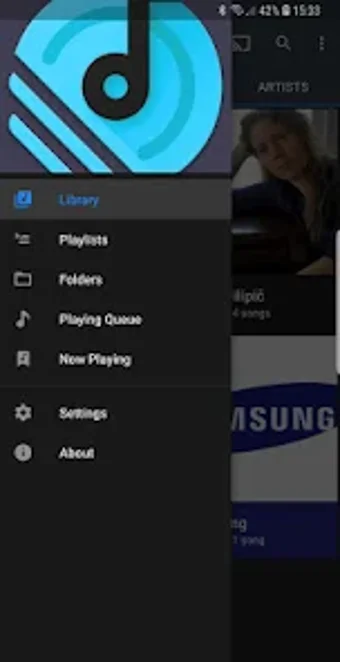
The interface follows Material Design and offers multiple color themes and fluid animations, so the app adapts visually to your preferences. Navigation includes both folder-based browsing and a built-in search field, which helps when a library mixes organized directories and scattered files. On older phones the app’s lightweight heritage reduces resource demands, making it reasonable for daily listening on modest hardware.
Daily listening habits, privacy, and practical limits
The app targets everyday routines where you keep music locally and want to play it across rooms, and it records plays to Last.fm when you enable that service. Because scrobbling and casting both require network access and account linking, users should expect those behaviors when they enable the features. The design emphasizes device-side file control and simple home-casting rather than cloud library syncing across multiple devices.
To sum up, a candid option for local-first Android listeners
To sum up, Audio Player Cast suits listeners who keep music on their device and prefer sending audio to Chromecast-equipped speakers or TVs; its lightweight build and visual theming match low‑effort daily use. Consider a different tool if you need cross-device cloud library sync or deep streaming-service integration, since this app focuses on on-device playback and home-casting as its primary workflow.